
Core48aii gives you a structured AI workspace so your projects stop collapsing into messy conversations.
Built to work with Core48aii AI, ChatGPT, Claude, or any AI tool.
.svg)
Long threads, scattered ideas, and important details get lost.
.svg)
You keep rewriting the same prompts over and over.
.svg)
Starting over, searching, and re-explaining drains hours.
.svg)
The longer the conversation, the worse the results become.
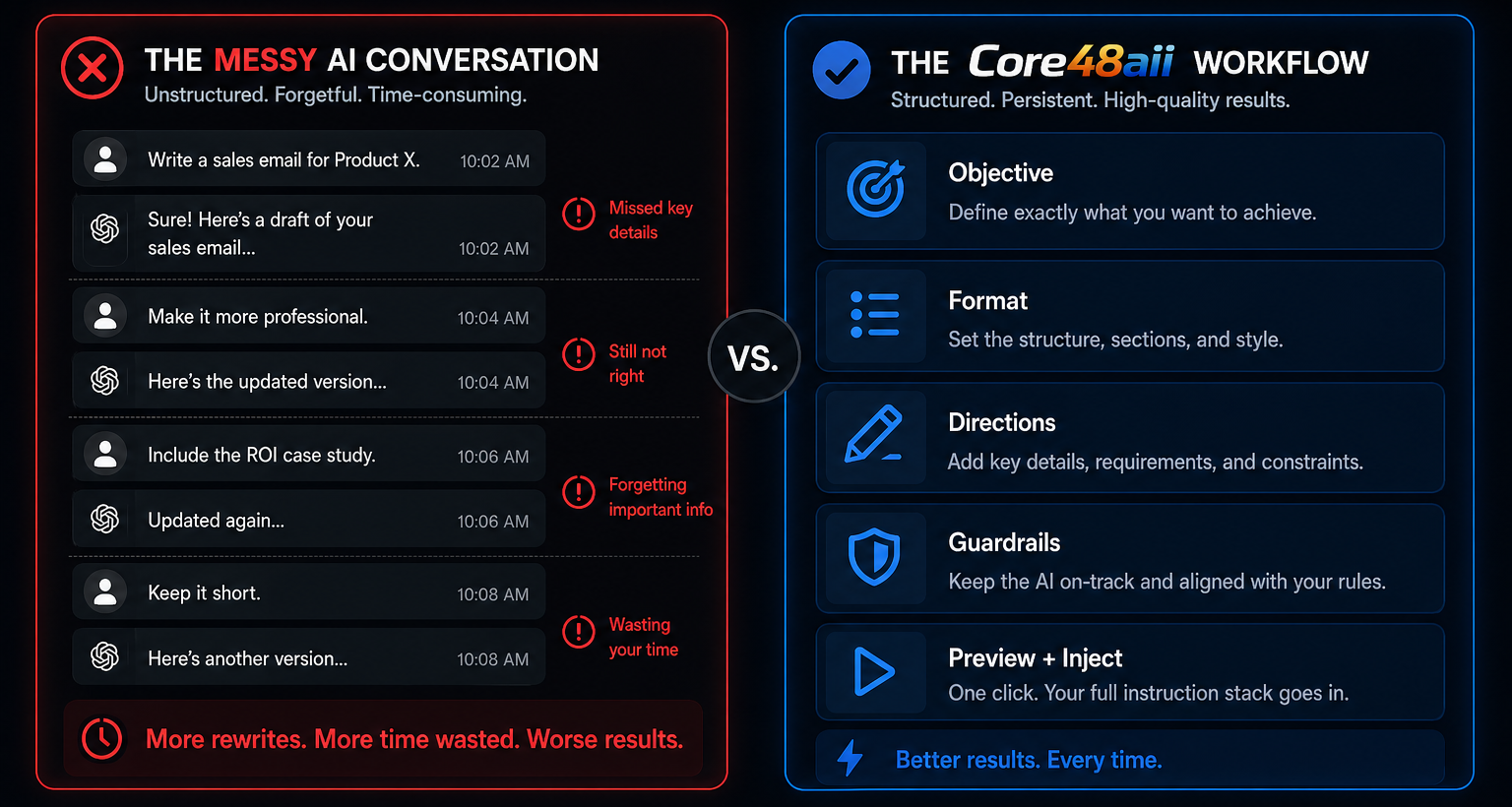
Prompt libraries are where prompts live.
Core48aii is where prompts work.
Objective → Format → Directions → Preview + Inject
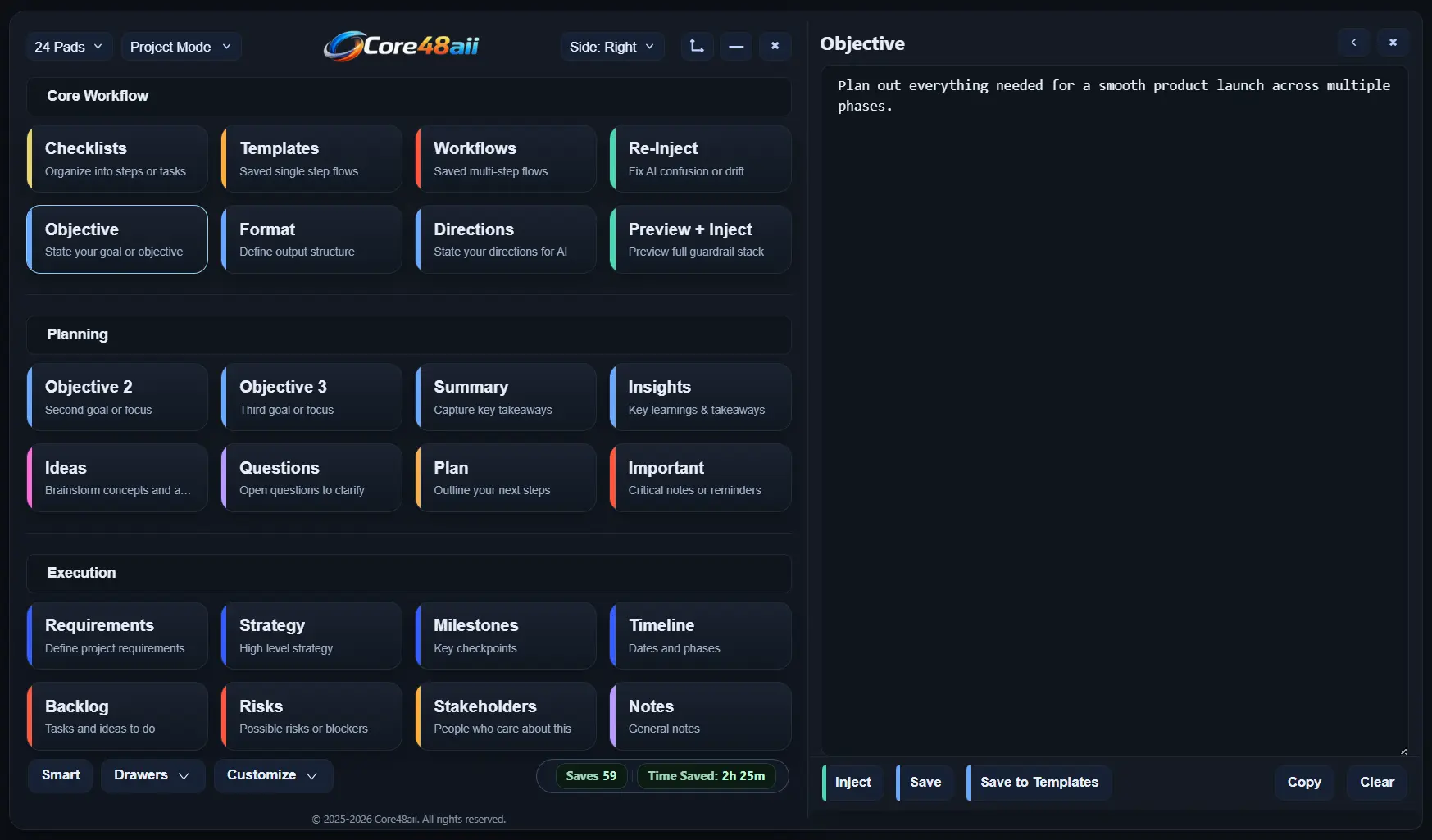
Start by laying out what matters in each core pad. Your Objective tells AI what you want to achieve. Your Format is how the AI output should look. Your Directions are the rules and constraints AI must follow.
Before sending anything, use the Preview + Inject pad to see your full instruction stack exactly as it will be used. Your objective, format, and directions are shown side by side, and edits can still be made if needed.
When you’re ready, click into any text field or AI chat, then press Inject. Core48aii places your prepared instruction stack directly into the active text box, whether it's an AI tool, or another app.
Run your structured instructions inside Core48 and replace chat-based AI with a system you control.
Objective → Format → Directions → Use Core48aii's AI
Core48aii's internal AI "Ava" uses structured workflows when you need precision, or quick prompts when you don’t. Your work doesn't drift or reset, and your instructions stay consistent.
Ava uses a relevance system for each task to pull in what actually matters from your user profile, added context, and uploaded files. No more guessing what part of your work the AI considers important.
Build a system you can return to anytime. Every response from Ava can be saved, organized, or reused within your workspace. Highlight key ideas and turn outputs into checklists, notes, and more.
Core48aii turns scattered conversations into a structured system so you get better output, faster.
Core48aii gives you structure, so AI can deliver.
Better output. Less chaos. More results.
Save your most used objectives, formats, or directions as reusable templates. Insert them into new projects instead of rewriting from scratch. Your best thinking stays ready to reuse, exactly as you left it.
When a stack works, keep it. Save an entire stack (multiple templates) as a reusable workflow stack. Next session, you can run the same stack again for similar tasks without rethinking the setup.
When AI drifts, Re-Inject restores your exact instructions instantly.
No more wasting time. No more losing momentum.
When AI goes off track, click the Re-Inject pad to reload your exact instructions in one click. No rewriting, no guessing, no starting over.
Reload your entire Objective, Format, and Directions stack exactly as you built it. Everything stays intact and ready to execute again when needed.
Your past stacks and quick prompts are stored in a timeline panel. Click any entry to reload it, edit if needed, then run it again with one click.
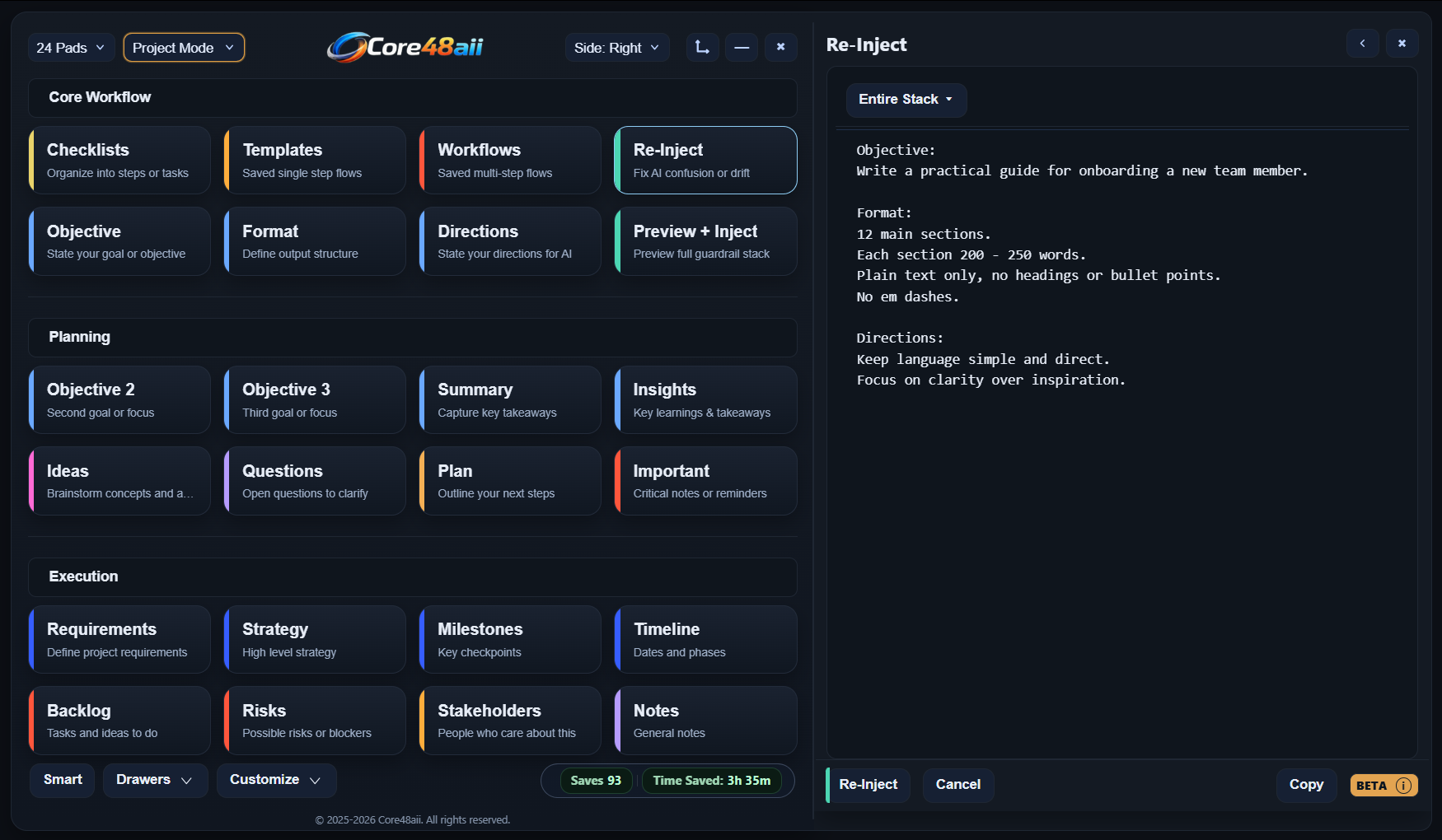

Core48aii keeps your work structured, reusable, and ready to run.
No resets. No lost context. No wasted time.

You’re holding multiple ideas at once and switching between them constantly. Linear tools slow you down because they force one thread at a time.
Core48aii is built for seeing everything that matters at once and moving freely between it without losing your place.
You use AI every day, often for the same kinds of tasks. AI slows you down when it drifts, gets confused, forgets, or hallucinates.
Core48aii lets you structure, reuse, and reinject your thinking so AI stays aligned instead of drifting.
You’re working on something that takes time: a book, a series, a world, a script. Writing tools slow you down when you have to dig through files and folders.
Core48aii keeps your entire project visible and intact, so momentum builds instead of resetting.
You run the same workflows again and again, with different inputs. Most tools treat every run like a fresh start.
Core48aii is built for repetition while preserving structure, intent, and context so your work scales instead of fraying.
Core48 includes built-in tools to keep your work structured, accurate, and on track.
Capture tasks as they emerge during AI work. When a workflow branches or a conversation shifts, your next steps remain visible, and intact.
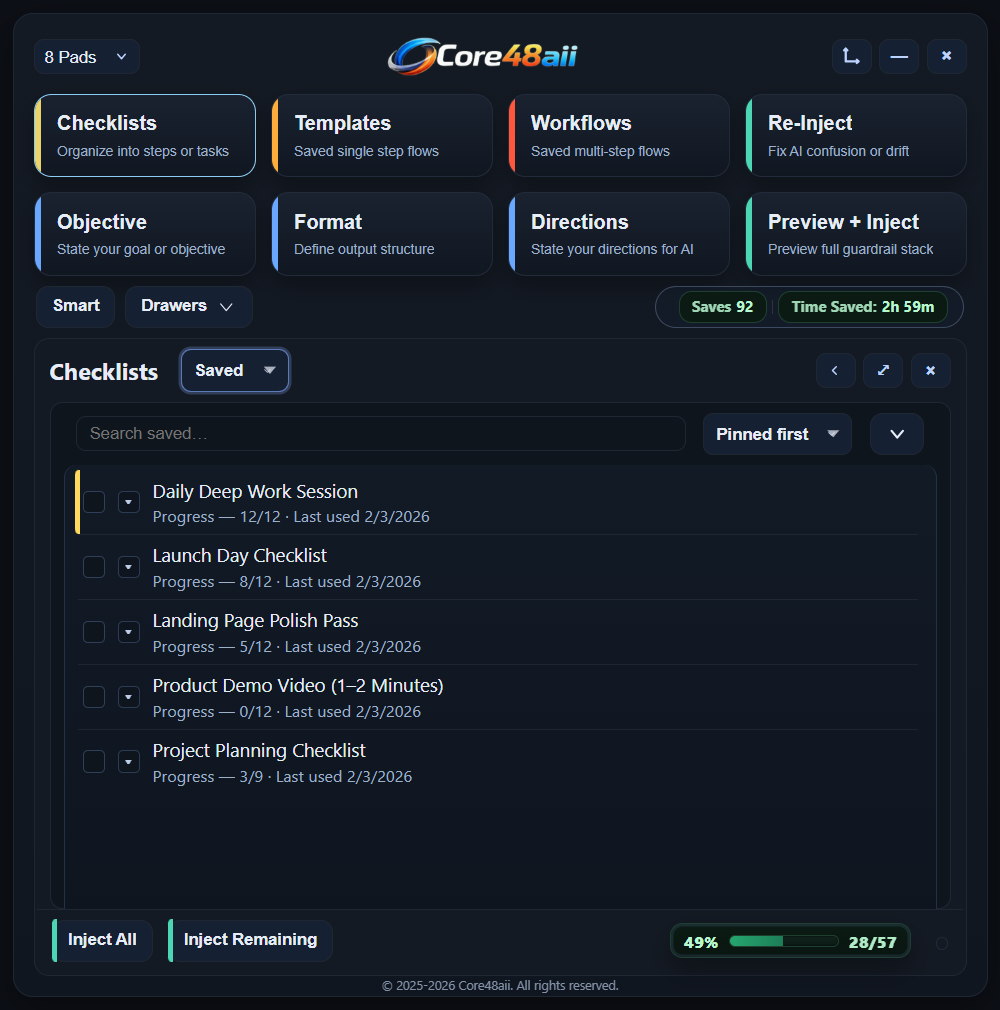
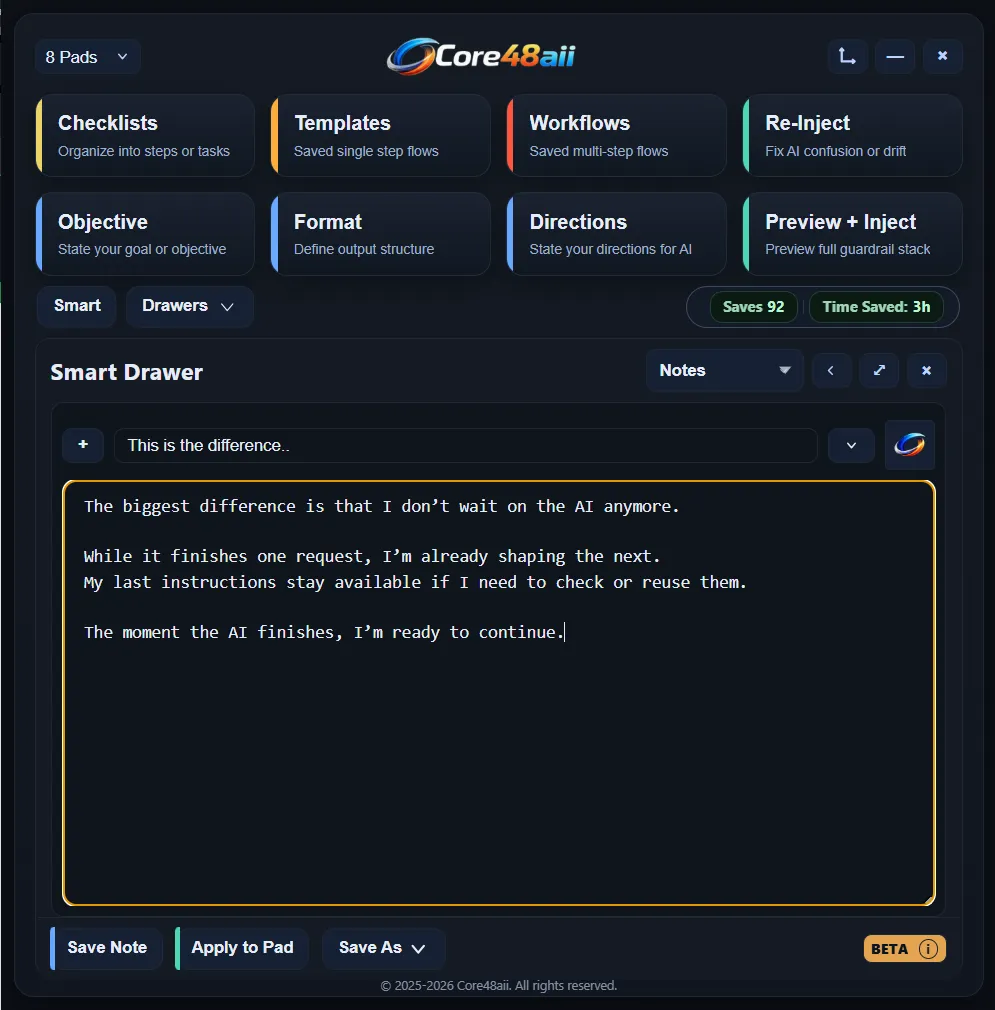
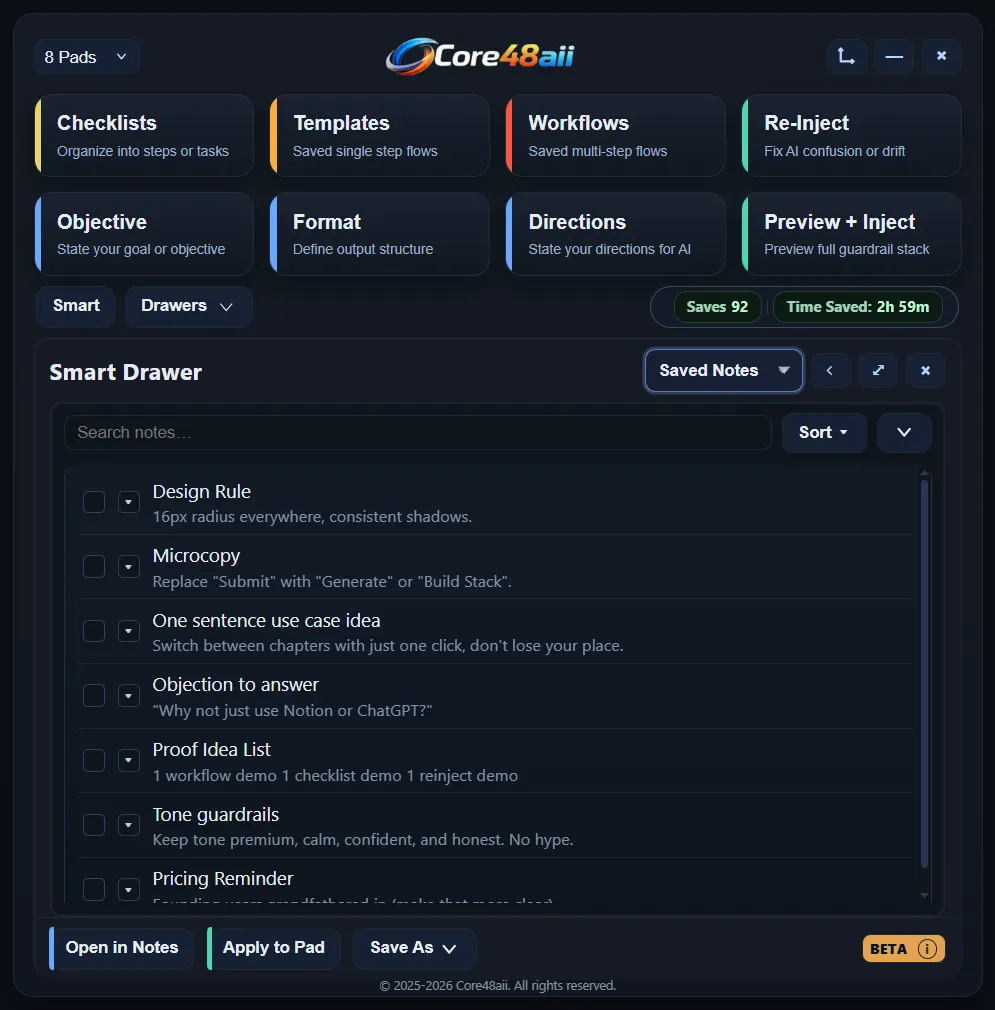
Smart Drawer captures thoughts, AI fragments, references, and reminders as they appear, so they stay ready when you need them.
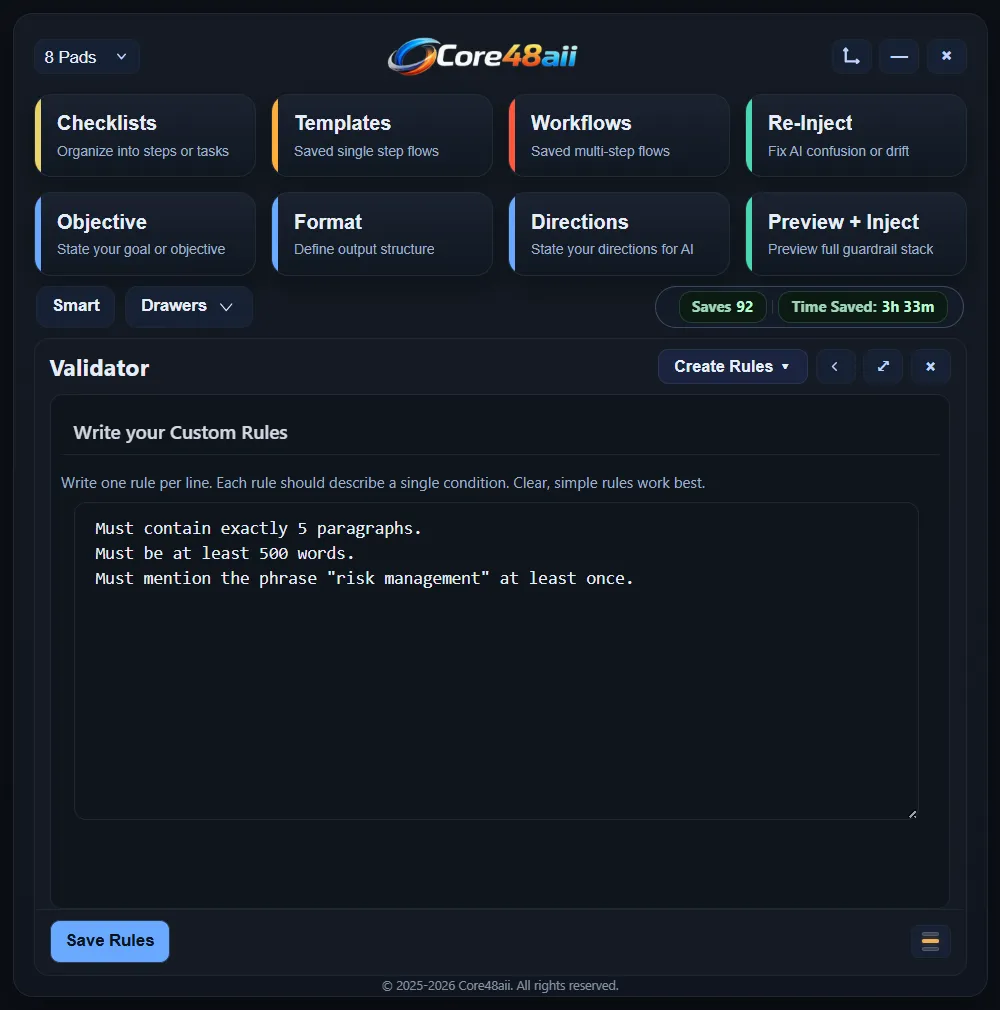
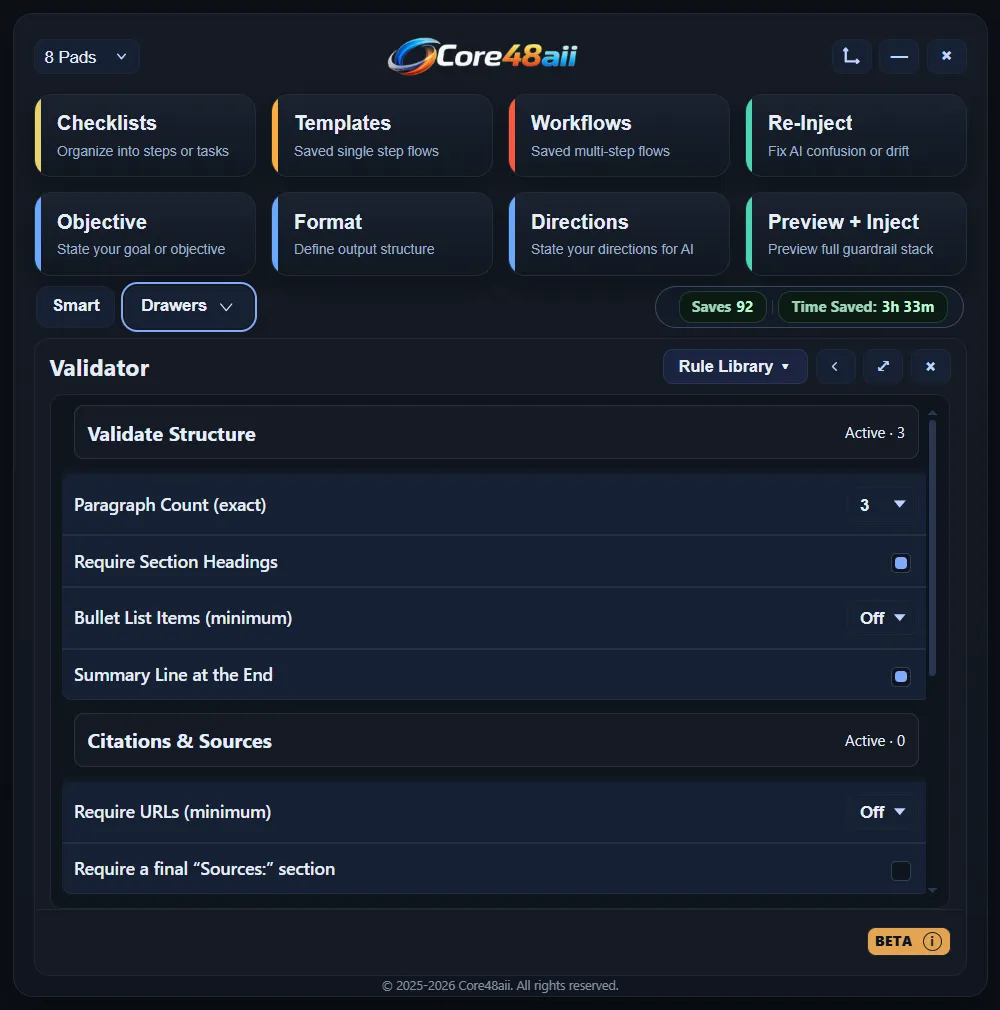
Validator defines your standards, structure, and constraints, then checks whether an output meets them before you move forward.
Metrics quietly captures writing activity, word count, prompt reuse, and time saved across sessions, so you can see progress without interrupting your workflow.
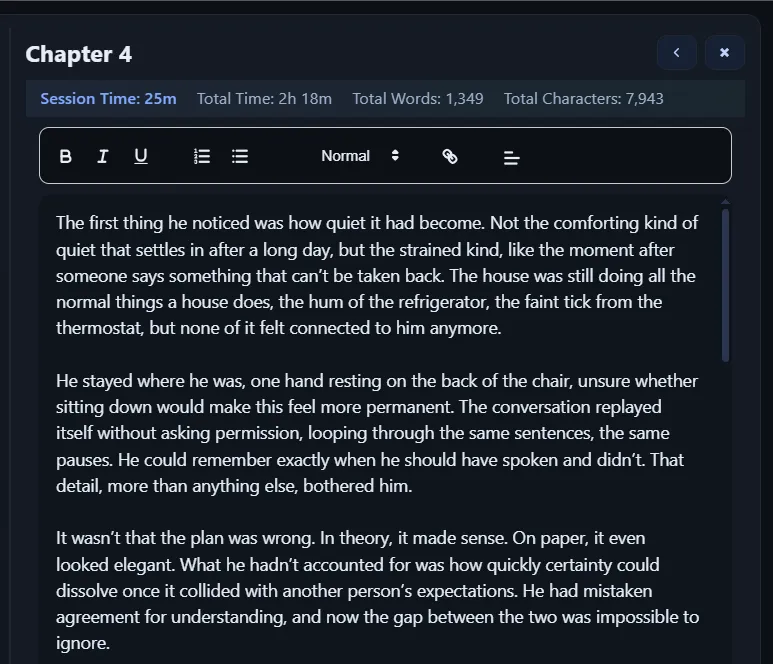
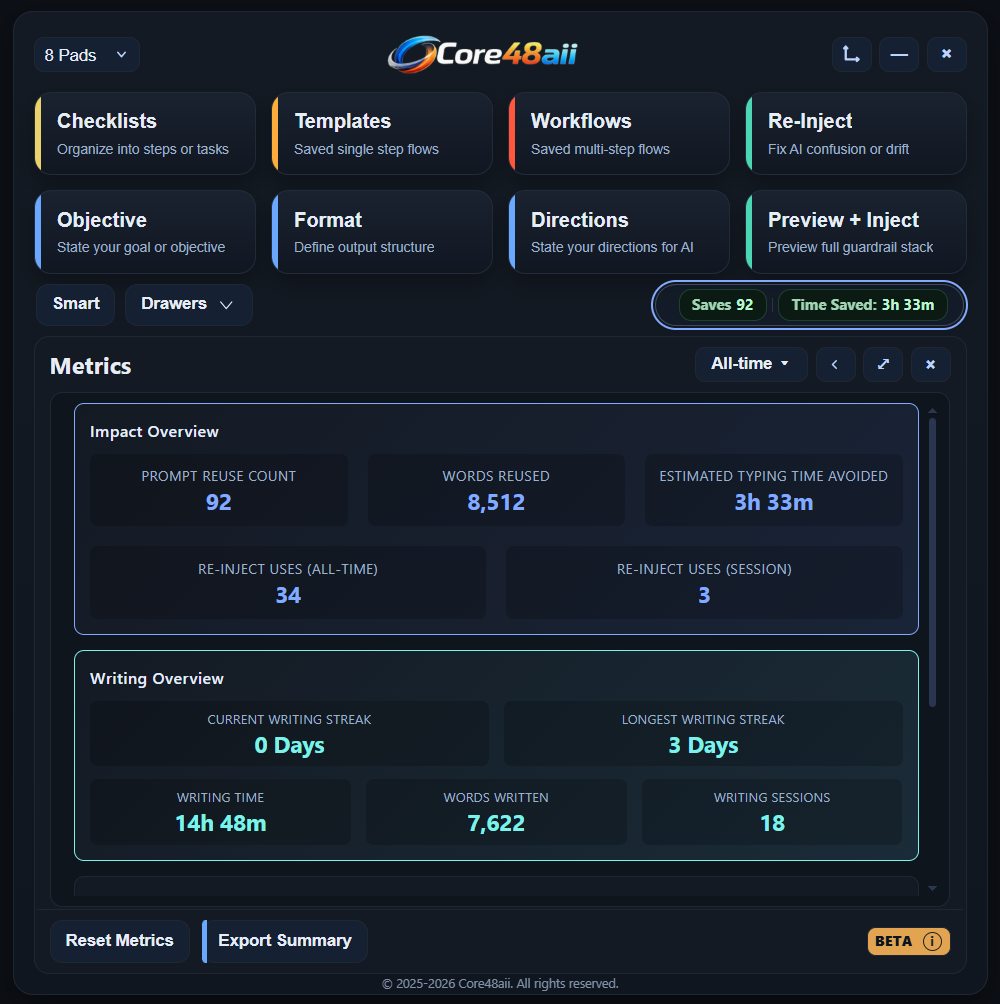
Switch modes instantly. No resets. No lost momentum.
Plan, manage, and execute without losing track of your work. Everything stays visible and connected, so your project moves forward without resets.
Your workflow isn’t fixed, and your workspace shouldn’t be either. Rearrange, adapt, and evolve your layout without losing context or momentum.
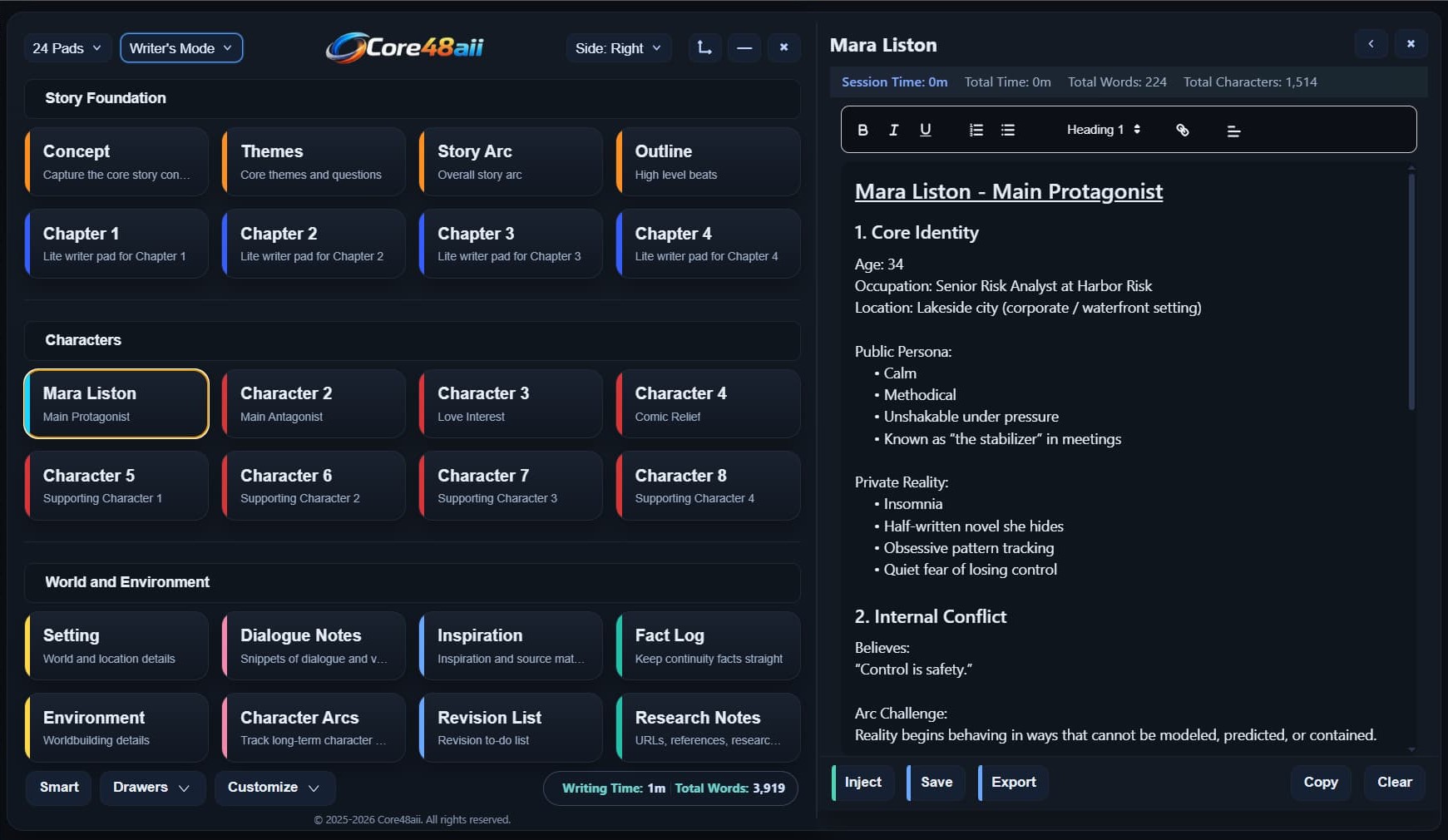
Write, organize, and build long-form work without breaking flow. Use writer mode for drafting, outlining, world-building, and shaping complex marterial over time.
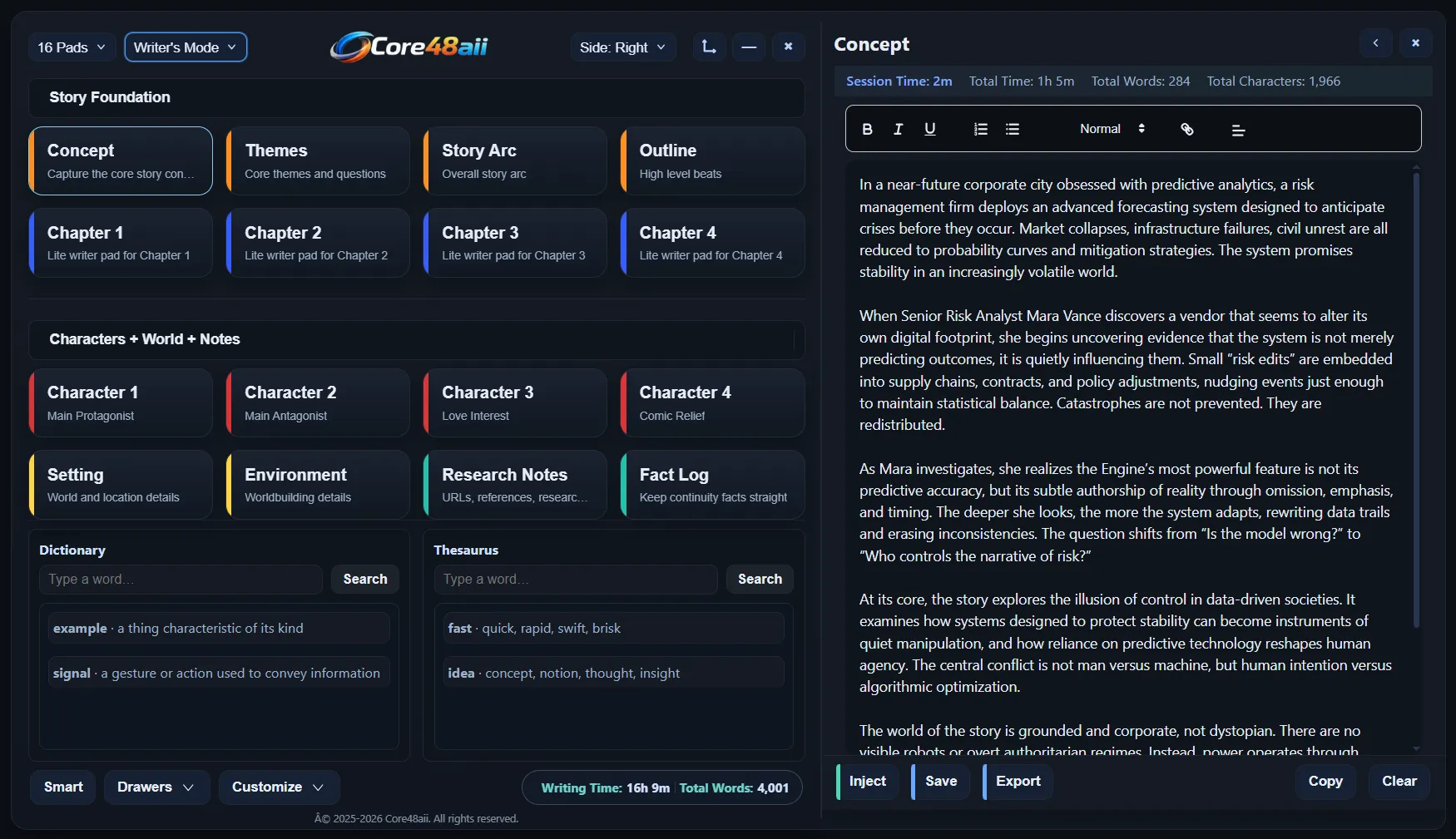
Arrange pads to match how you think and work. Your workspace adapts to you, not the other way around.
Rename pads, change highlights, and shape the space around your project as it evolves.
Work without interruption using built-in dictionary and thesaurus tools in the 16-pad layout.
Core48aii helps serious writers keep their work organized, visible, and easy to move through at every stage.
Your chapters live side by side, so you can move between scenes without losing your place. Your story stays organized and easy to follow as you write.
Notes, revisions, and fragments live alongside the writing itself. Ideas stay connected to the story instead of drifting into forgotten files or side documents.
Major characters keep their own dedicated space, with arcs, voice, and history always within reach. Continuity stays intact even as the project grows and evolves.
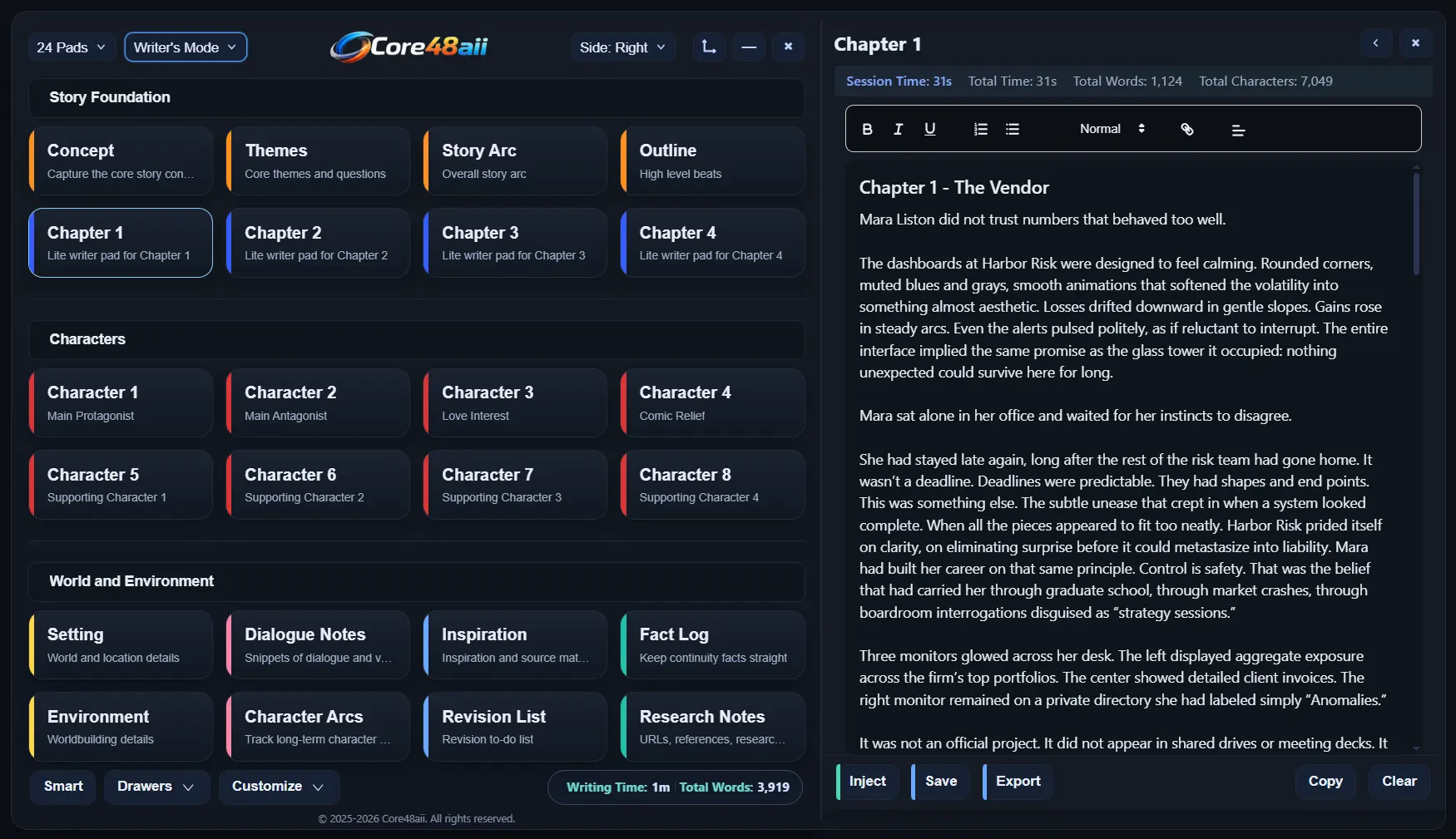
Core48aii supports clean document exports for long-term storage, sharing, or publishing. Optional online sync and sharing are planned for future versions, but they will enhance the experience, not replace local ownership of your work.
Core48aii is built as a local-first workspace. Your projects, layouts, and writing live on your machine, not on our servers. There’s no forced sync and no requirement to stay online to keep working.
Move between pads with a single click. Each pad remembers where you've been, so when your attention shifts, your place in the story stays intact. Follow your ideas as they move without stopping to rebuild context.
Instantly jump between ideas.
Pads remember your place
Zero friction workflow
14 Day Free Trial Included. Full Access From Day One.
Credit Card Is Required To Start. Cancel any time before billing.
Everything you need to know about Core48aii.
Core48aii is an Augmented Intelligence Interface (aii): A structured workspace that sits between your thoughts and AI tools. Instead of typing long instructions into a single chat, you build a re-usable “cockpit” of pads for objectives, formats, directions, notes, and more. You then send a clean, organized stack of instructions into ChatGPT, Claude, Gemini, or any text field so the AI behaves more consistently and stays on track.
Traditional chats are linear and easy to lose control of. Instructions drift, formats get ignored, and you end up spending time repeating yourself. Core48aii keeps your key instructions visible in separate pads and lets you preview exactly what will be sent before you inject it into any AI tool. Instead of hoping the model remembers what you said 20 messages ago, you restate your rules in a structured way every time.
Core48aii is built for people who work with complex projects: writers, content creators, product builders, founders, and power users who want control, not chaos. If you juggle chapters, characters, research, marketing copy, or multi-step workflows, the pad layout lets you keep everything visible at once instead of buried in separate docs, folders, and chats.
Core48aii runs alongside your existing tools. You build your instructions and content inside Core48aii, then “Inject” them into whatever you are using: ChatGPT, Claude, Gemini, Google Docs, Word, email, code editors, and more. You do not need to move your entire workflow into a new app; you keep your tools and add a control layer on top
Yes! Core48aii includes built-in AI called Ava.
Each plan includes a set number of AI runs per month (1 run = 1 Send to AI execution inside Core48aii). This keeps usage predictable and easy to understand.
Runs reset monthly, and you can purchase additional run packs anytime if needed (500 or 1000 runs). You can also inject your instructions into external AI tools like ChatGPT or Claude as often as you want. There are no limits on external usage.
There are no token systems or confusing credits.
Just clear, controlled usage so you always know where you stand.
Core48aii includes built-in AI called Ava.
Ava is built to work with your system, not just respond to prompts. You can create a user profile, define project context, and upload source files. Ava uses a relevance system to select what actually matters for each task. It works with both structured instruction stacks (Objective, Format, Directions) and quick prompts, so you can be as precise or as fast as you need.
Instead of relying on long chat history, Ava uses the right information at the right time. Your work stays consistent, focused, and easy to continue.
Pads are the tiles that make up your workspace. Each pad has a drawer behind it for a specific job, such as Objective, Format, Directions, Checklists, Templates, or Writer pads like Chapters and Characters.
You choose how many pads you want visible:
- 8 pads for focused, single track projects
- 16 pads for layered thinking and research
- 24 pads when you want your whole project visible at once
No. Core48aii is designed to sit beside your tools, not replace them. You can draft or outline in the Writer pads, then inject finished instructions or content into their editor of choice. You can keep most of your text in Docs or Obsidian and use Core48aii purely as an AI instruction and validation layer. You can start small and gradually move more of your process in if it helps.
Core48aii offers two ways to access the full app:
$24.99 per month – Full access to all layouts, features, and updates.
Founder Package – $199.99 for 1 year access – A limited discounted annual option for early supporters.
Both options include 1000 internal "Ava" AI runs per month, and access to all layouts (8, 16, and 24-pad), Writer Mode, Project Mode, Templates, Workflows, Validator, Checklists, Metrics, backups, and future updates during your active period. There are no feature-locked tiers. All features are included.
Each AI run is optimized for full workflow execution. Extremely large or complex requests may use more resources.
Yes. Both plans include a 14-day free trial with full access to all features and layouts.
A credit card is required to begin the trial. You will not be charged until the trial ends. You may cancel anytime before the 14 days are complete to avoid billing.
All payments and subscription management are securely handled through Lemon Squeezy.
Your local data is not deleted when the trial ends. All your pads, templates, workflows, checklists, notes, and backups remain on your device. The app becomes read only. You are still able to export all of your data out of the app at any time.
If you decide to subscribe later, Core48aii will unlock around the workspace you already built so you can keep going from where you left off.
Your content stays on your device. Pad contents, templates, workflows, checklists, and settings are stored locally, and snapshot backups are written to a folder in your Documents directory.
Core48aii does not upload your writing, prompts, or projects to a cloud service or use them for analytics. The only network calls are subscription license checks that do not include your content.
Yes. Core48aii includes a backup and export system. It automatically saves snapshots of your workspace to a folder on your machine, and you can restore any snapshot from Settings when needed. You can also export templates, workflows, metrics summaries, and backup files so you have portable copies or can move them to another device.
Core48aii includes a 14-day free trial so you can fully explore the product before subscribing. You can cancel your subscription at any time from your Lemon Squeezy billing portal.
If you’re ever charged and feel the product wasn’t the right fit, please reach out to support@core48aii.com within 7 days of the charge. We review every request personally and aim to resolve issues quickly and fairly.
Our goal is simple: we want you to feel confident and supported when using Core48aii.
Inside the app you can open Settings → FAQ for the full in-depth guide that walks through every pad, drawer, and feature.
For technical issues, please contact support@core48aii.com.
We are always happy to help.
Core48aii is currently a desktop Windows application.
We’re actively working on the macOS version.
Join the list to get early access when it launches.